Since the extinction of
imei tweaking, people have resorted to using apps like
Simple Server, Open VPN, Psiphone, Http Injector, Tweakware and all others to browse on their android phones and PCs such as the
BBLite subscription For Android,
Etisalat chat pak,
MTN 2GO MB.
In today's post, I will be showing you
how to use music plus on android phones,
Browsing with MTN music plan is similar to using
2go 3gb plan and
Etisalat Chat pak and Social Pak because in all three cases, you subscribe for a plan and instead of using the data gotten for the plans we subscribed for, we use apps like
Simple server and others to make it work for all other things.
Let me try to explain how the above procedure is possible, I'll use the MTN 3GB 2GO plan.
Recently, You could get free 3gb worth of data for 2go on MTN but the problem was that the data could only work for 2go and it's obvious that almost nobody uses 2go so there was need to find a way to use this data for other things since we couldn't afford for this data to go to waste and that was when
simple server came along.
Simple Server acts as an intermediary "a middle-man" between your phone and the data, when you
configure your simple server correctly and browse with it, it clones your phone and makes it seem like you are
2going whereas you aren't.
We are going to use the same method for the
MTN music plus plan, MTN currently gives free 150MB to be used to stream and to music on the
music plus app but just like I explained earlier, we are going to use
simple server to make it power all apps.
To use the MTN
Music plus plan on android first, you send
MUSIC to 5900, wait for a confirmation message then Send D to 5900, dail
*559*2# to check balance.
Now open your
simple server(preferably the latest version) and configure it using the following settings.
- Proxy host - 10.199.212.2
- Proxy Port - 8080
- Injection Query/Url - http://musicplus.mtnonline.com
- Injection host - musicplus.mtnonline.com
- Injection Type - Get
- Injection Line - Press your enter key four times
- Log Level - Debug
- Connection Timeout - 10
- Buffer Size - 8092
Now go to your Phone's settings - Mobile Networks - Access point Names and create a new APN(If you were using BBLite or 2go Mb before, just select the APN you created before).
- Proxy - 10.199.212.2
- Port - 8080
- APN type - Default
- APN - web.gprs.mtnnigeria.net
- Leave the rest as they are
Close your settings, Open
simple server and power it up.
How To Use MTN Music Plus On PC
To make the
mtn music plus plan work on pc, you have to have
simple server for pc installed on your PC.
If you don't have it, you can
download simple server for pc here
Right-click and extract the download
simple server to your PC
Open the extracted folder and locate
simple server.ini, it should open with your notepad.
Check through, you should see
VALHDR0 clear whatever is in front of it and put
musicplus.mtnonline.com so it would end up looking like
VALHDR0 = 'musicplus.mtnonline.com/'.
Check lower again, IQUERY clear whatever is in front of it and input
musicplus.mtnonline.com so it would now look like
IQUERY = 'musicplus.mtnonline.com/' now press
ctrl + S to save it the close your note pad.
Now, locate
Simple server.exe and run it.
Go to settings in your modem's dashboard and create a new APN.
- APN - web.gprs.mtnnigeria.com
- Username - Web
- Password - Web
How To make MTN Music Plus Work On FIREFOX
Open
Firefox go to options - Advanced - Network - Under connections click settings and configure it as follows
- Proxy - 127.0.0.1
- Port - 8080
Click
use this server for all protocols(compulsory)
Click OK and fire On!
To Make MTN Music Plus Work On Chrome
Click on settings - Under Network click on
change proxy settings - Click settings.
Click
use a proxy server for this connection
Address - 127.0.0.1
Port - 8080
Click
bypass proxy server for local addresses
Click the OK button and browse On!
The major advantage of using
mtn music plus plan is that you can renew it as much as you want free of charge.
When you finish the first 150MB you given, send D to 5900 you will be given another 150MB and when you exhaust that one too, send cancel7d to 5900, wait for a reply then send D to 5900 again you will be given another one when you finish that one send cancel7d to 5900 then D just like that you keep cancel and renewing until you are too tired to browse.


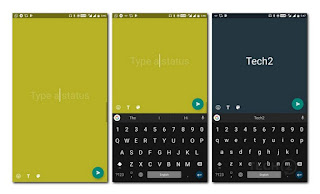 The new font styles can also be used if you want to add text to any photo or video post. Just like normal story posts, the Type Mode option posts will disappear after 24 hours. To get the new feature, simply update your instagram app on the google Play Store.